

Find, activate, and configure every camera on site — from your phone
Sentinel discovers ONVIF and SADP security devices across your network, brings new ones online, and fixes their IP settings in seconds. No laptop. No serial cable. No one tool per brand.
Download free on the App StoreFree 30-day trial · $0.99 to keep full access · No subscription
What Is Sentinel?
Sentinel is a cross-platform field tool for security-camera installers and IT admins. It discovers ONVIF and SADP (Hikvision-compatible) devices on the local network — even across subnets via multicast — activates brand-new cameras with a strong password, and reconfigures IP, mask, gateway, and DHCP settings, all from the device already in your pocket.
One app for discovery, activation, and network configuration. No laptop up the ladder.
Key Features
Everything you need to commission a site — from a single app.
Discover Everything
Finds ONVIF and SADP (Hikvision-compatible) cameras and recorders in seconds, with live results as devices respond — no manual refresh.
Cross-Subnet Scanning
Standard multicast surfaces devices even when their IP is outside your current subnet — the ones vendor tools quietly miss.
Activate New Devices
Bring brand-new, uninitialised cameras online without a laptop or serial cable, and set a strong admin password with a built-in strength meter.
Reconfigure On Site
Change a device's IP address, subnet mask, and gateway, or switch between static IP and DHCP — no unplugging or factory resets.
Secure By Design
Credentials are stored in the iOS/macOS Keychain, never in plain text. Password-policy enforcement keeps every device hardened.
Every Detail At A Glance
See model, firmware, MAC, serial, and current network settings for each device the moment it appears.
Live & Fast
A modern SwiftUI interface built for speed on real job sites, with troubleshooting guidance when a device won't appear.
iPhone, iPad & Mac
A native app for iPhone, iPad, and Mac — a clean, fast interface designed for the field.
See Sentinel in Action
A clean, fast interface designed for the field.
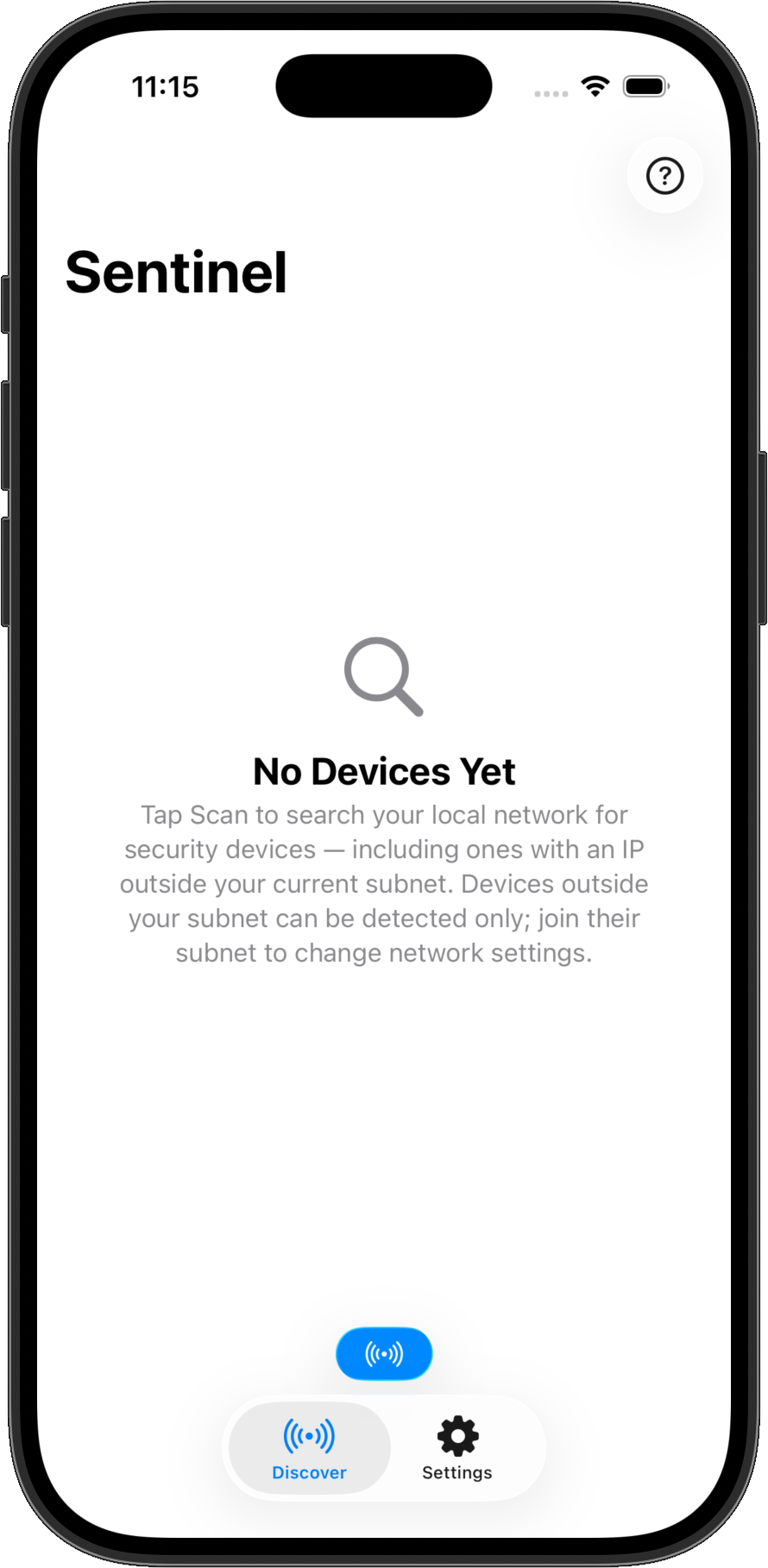
Scan Your Network In One Tap
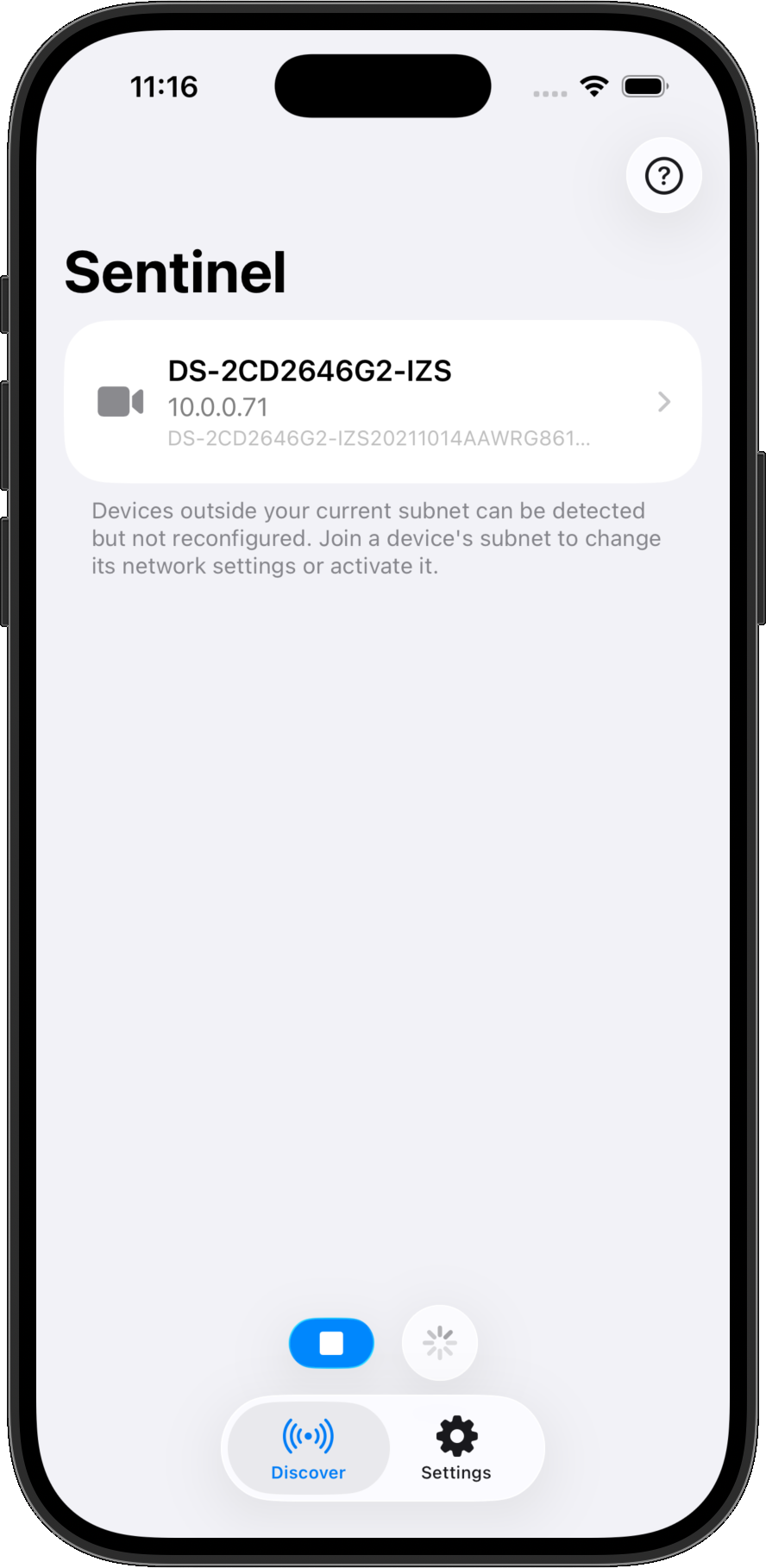
Tap Scan to search your local network for security devices — including ones with an IP outside your current subnet.
Discover ONVIF & SADP Devices
Cameras and recorders appear live as they respond, with their IP and serial at a glance. Out-of-subnet devices are clearly marked as detect-only.
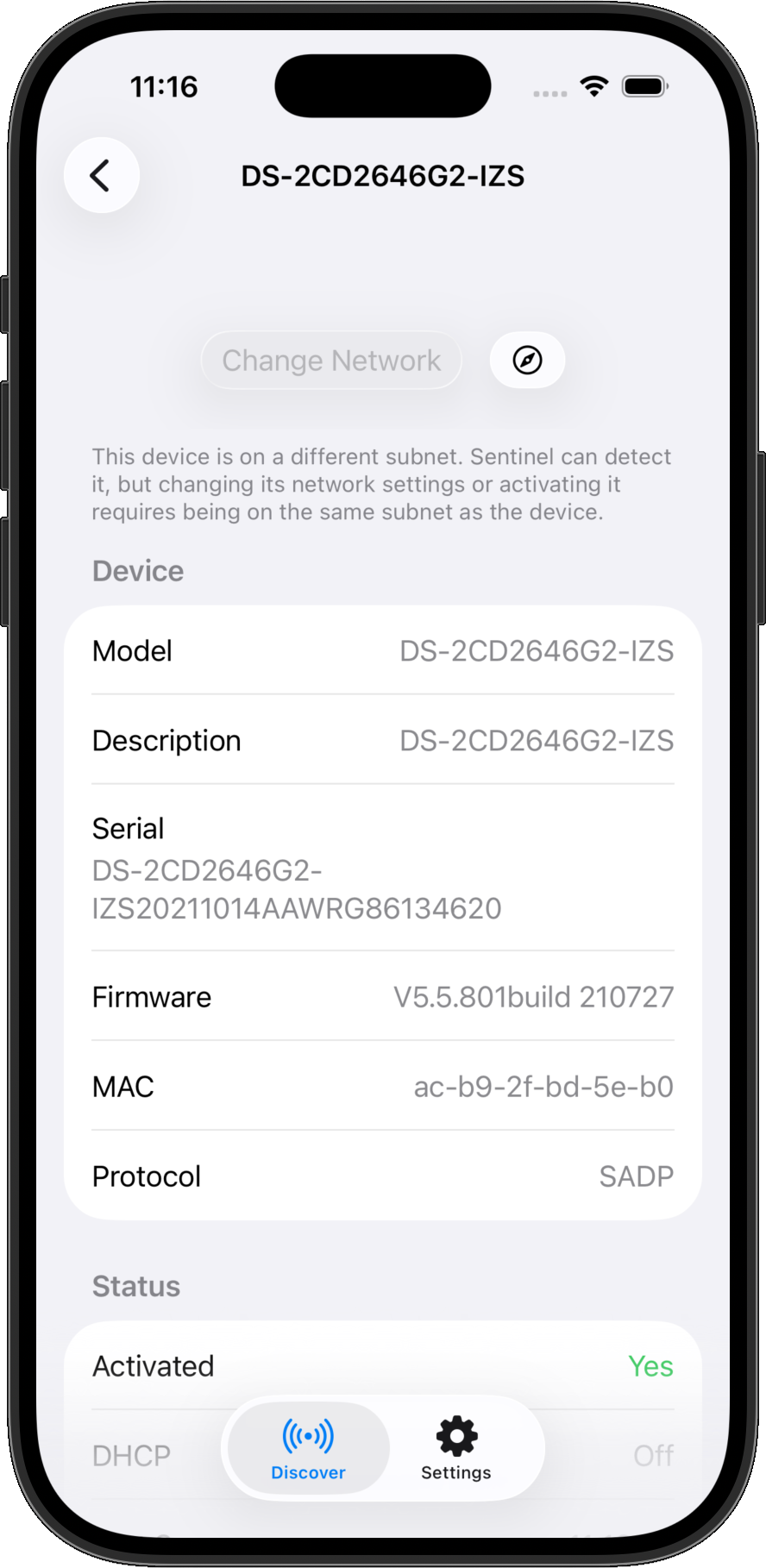
Every Detail At A Glance
Model, firmware, MAC, serial, protocol, and activation status for every device — with Change Network right where you need it.
One App, Every Protocol
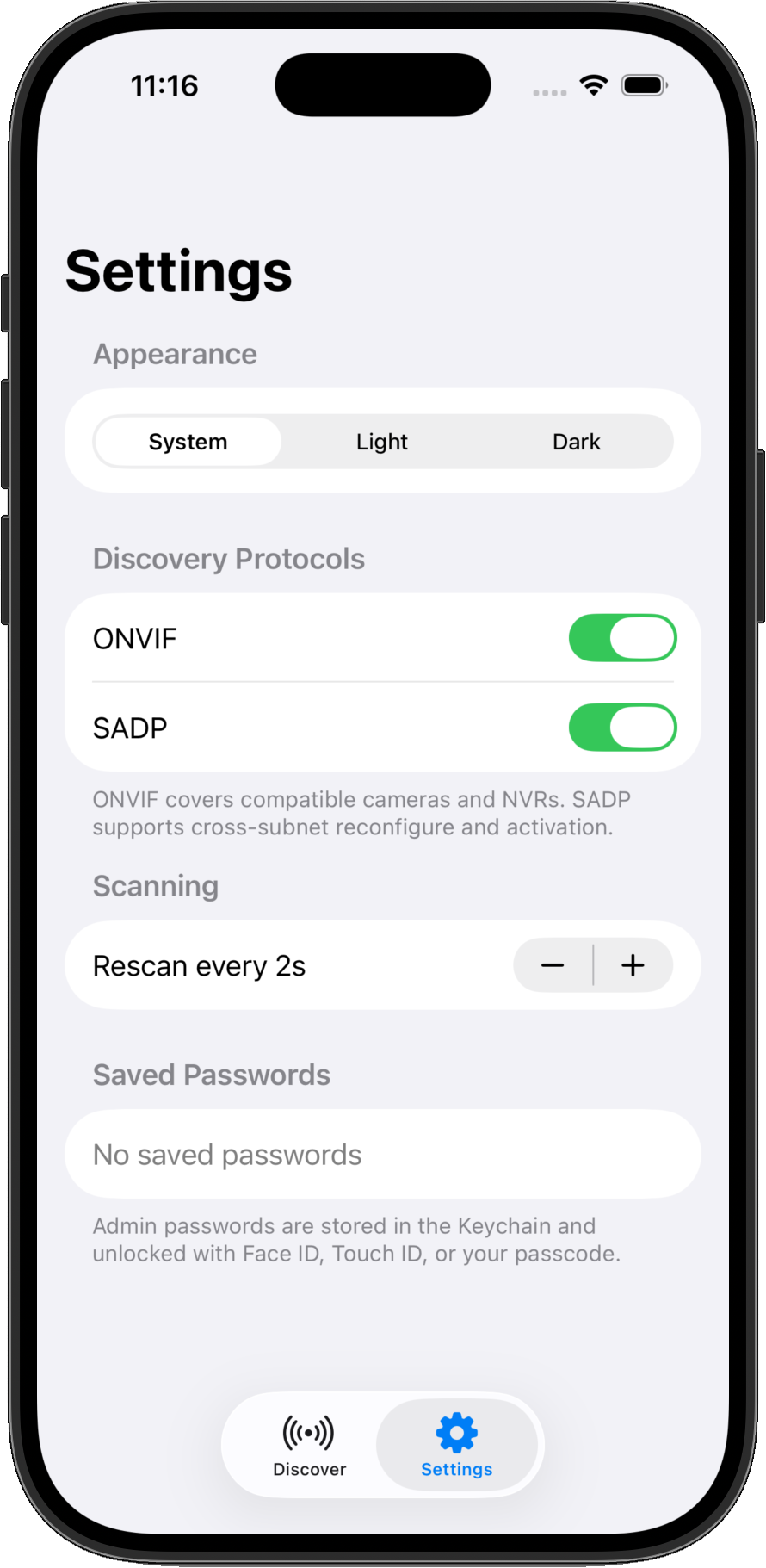
Toggle ONVIF and SADP discovery, tune the rescan interval, and keep admin passwords in the Keychain, unlocked with Face ID or Touch ID.
Built-In Troubleshooting
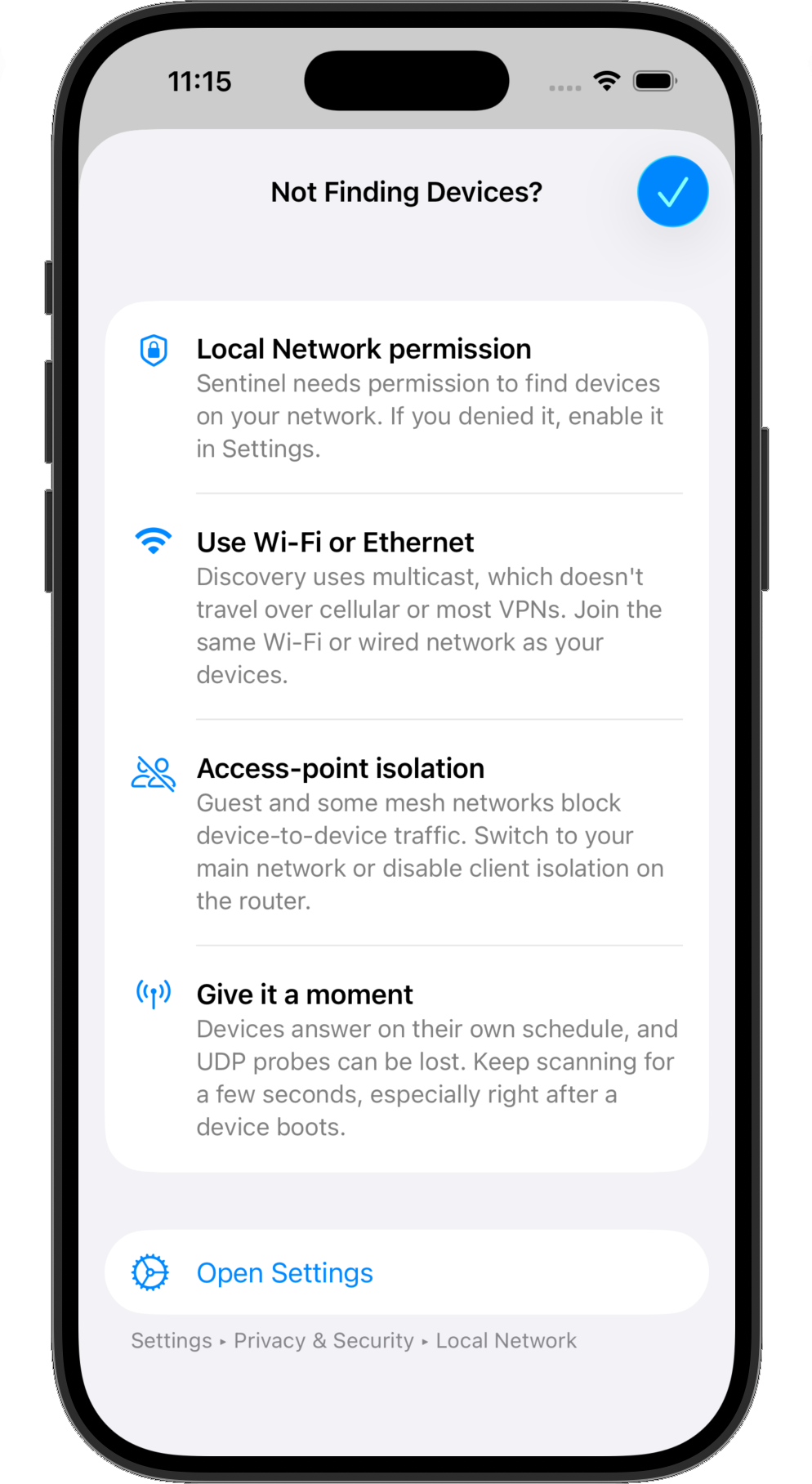
When a device won't appear, Sentinel walks you through Local Network permission, Wi-Fi, access-point isolation, and more.
One App, Every Protocol
Stop juggling a separate utility for each brand. Sentinel speaks the standards installers rely on, with ONVIF and SADP side by side in one list.
- ONVIF WS-Discovery
- SADP (Hikvision-compatible)
- Multicast cross-subnet probing
- Device activation
- Static IP configuration
- DHCP switching
- IP / mask / gateway editing
- Read-only ONVIF discovery
Built For The Field
Commissioning a site used to mean dragging a laptop up a ladder, hunting for a serial cable, and juggling one clunky utility per brand. Sentinel puts it all in your pocket.
Mobile-First
No laptop up the ladder. Walk the site and bring devices online from the iPhone, iPad, or Mac you already carry.
Cross-Subnet
Multicast discovery reaches devices whose IP is outside your current range — a real pain point vendor tools handle inconsistently.
Multi-Protocol
ONVIF and SADP in one app, not one utility per brand. Everything shows up in a single list.
Security-First
Keychain credential storage and password-strength enforcement keep every device hardened.
Secure By Design
Sentinel is built to harden the devices you commission — and to keep your credentials safe while doing it.
- Credentials stored in the iOS/macOS Keychain — never in plain text
- Password-policy enforcement keeps every device hardened
- Encrypted activation handled securely on device
- Read-only ONVIF discovery — changes are explicit and deliberate
- No accounts, no analytics, no tracking
- Built with Apple-native frameworks
- Full GDPR compliance
How It Works
Open Sentinel and scan
Grant Local Network permission and tap Scan. ONVIF and SADP devices appear live as they respond — no account or setup required.
Review what's on the network
See model, firmware, MAC, serial, and current network settings at a glance. Out-of-subnet devices are clearly marked as detect-only.
Activate new devices
Bring brand-new cameras online and set a strong admin password with a built-in strength meter.
Configure and hand off
Change IP, subnet mask, gateway, or switch to DHCP, and hand off a hardened, correctly-addressed network before you pack up.
Who Is This For?
CCTV Installers
Commission cameras and recorders on site without hauling a Windows laptop to every mount point.
Systems Integrators
One multi-protocol tool that replaces a truckful of vendor utilities across brands.
IT & Network Admins
Find, address, and harden camera endpoints across subnets from the device already in your hand.
Low-Voltage Techs
Fix a misconfigured camera without unplugging, serial cables, or factory resets.
Simple, Honest Pricing
Free to download and try for 30 days with full access. After that, unlock every feature forever with a single purchase — no subscription, no recurring fees.
Free 30-Day Trial
Free
Download and use every feature free for 30 days — discovery, activation, and network configuration, with nothing held back.
Keep Full Access
$0.99 once
After the trial, a single one-time purchase unlocks every feature forever. You own it — no subscription, no recurring fees.
No subscription. No recurring fees. Pay once, keep it forever.
Frequently Asked Questions
Commission your next site from your pocket
Native for iPhone, iPad, and Mac. Free to try for 30 days with full access, then $0.99 once to keep it — no subscription.
Download free on the App Store