

Take control of your money with Doekoe
The simple, private budget app that helps you track every expense, manage recurring costs, and reach your savings goals — all without sharing a single byte of your data.
Download on the App Store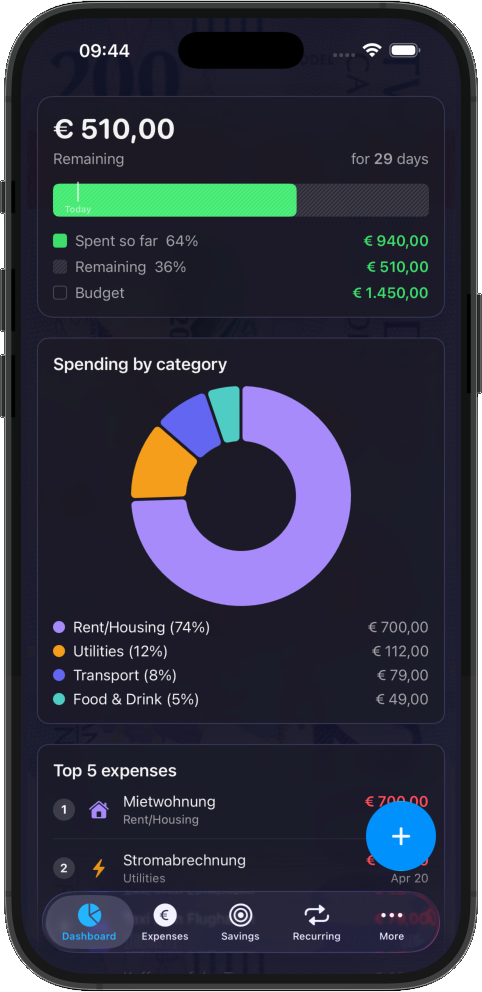
What Is Doekoe?
Doekoe is a personal budget and expense tracker built for people who want clarity about their money without the complexity of a spreadsheet or the privacy concerns of cloud-based finance apps. Set a budget, log your spending, and see exactly where your money goes — in seconds.
No account required. No sign-up. No data collection. Just open the app and start tracking.
Key Features
Everything you need to manage your budget — free forever.
Budget at a Glance
See your remaining budget front and centre on a clean dashboard with a colour-coded progress bar. Know instantly whether you're on track.
Expense Tracking
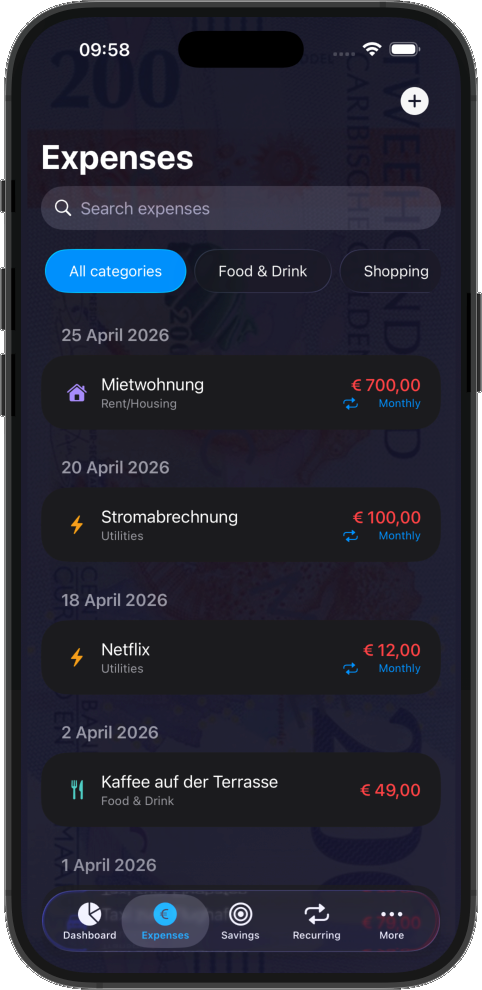
Add expenses in two taps. Categorise them, add descriptions, and browse your history by month.
Up to 5 Categories
Organise your spending with custom categories — each with its own icon and colour.
Recurring Expenses
Track fixed costs like rent, subscriptions, and insurance. Doekoe automatically posts them on schedule.
Budget Modes
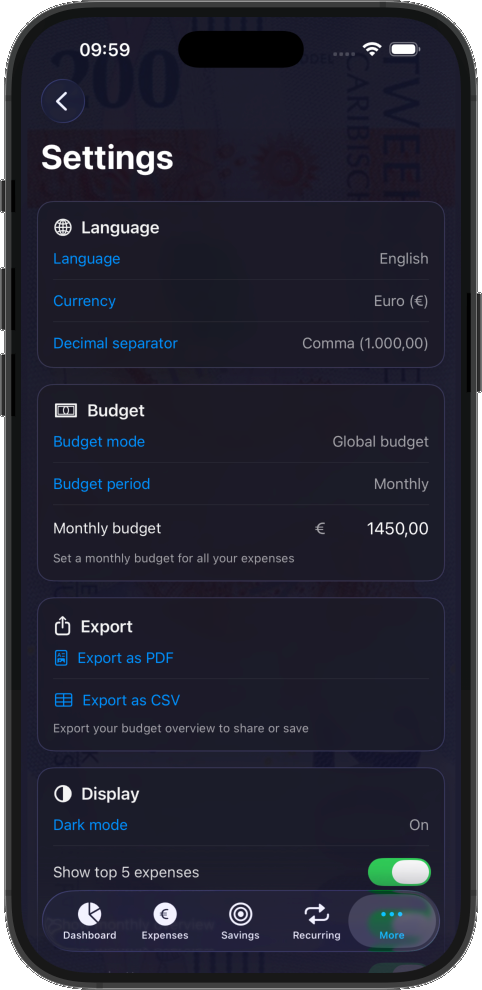
Choose between a single global budget or set individual budgets per category — whatever fits the way you manage your money.
Dashboard Charts
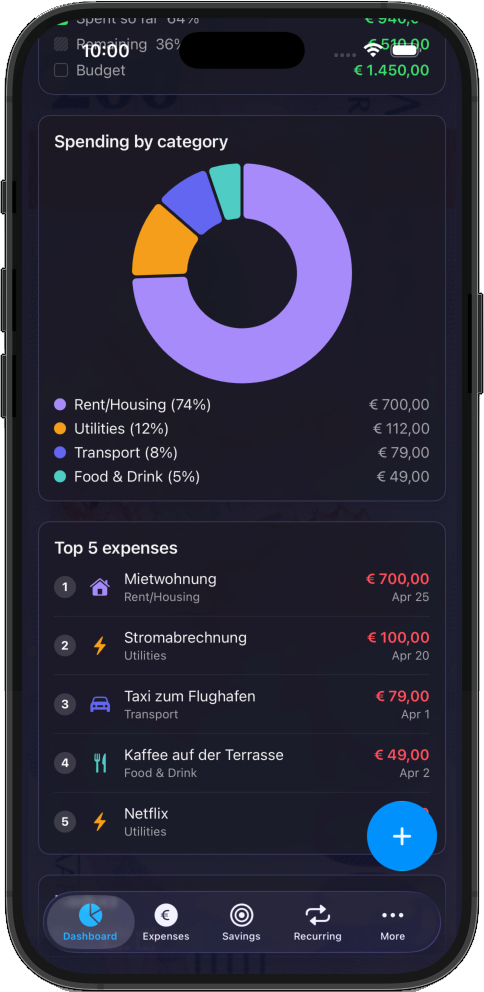
Pie charts break down spending by category. Bar charts compare budget versus actual spending over time.
Multi-Language
Available in over 25 languages including English, Dutch, German, French, Spanish, Italian, and many more.
Multi-Currency
Track your budget in the currency you use. Supports EUR, USD, GBP, CHF, SEK, NOK, DKK, PLN, CZK, HUF, RON, and more.
See Doekoe in Action
A clean, intuitive interface designed for speed and clarity.
Doekoe Pro
Unlock the full power of Doekoe with a Pro subscription.
Unlimited Categories
Go beyond the five-category limit. Create as many categories as you need for granular control.
Receipt Photos
Snap a photo of your receipt or pick one from your library. Every expense can have a receipt attached.
Due Date Reminders
Set due dates on bills and get reminded before they're due. Never miss a payment again.
Data Export
Export your expenses as a professional PDF report or CSV file. Share them with your accountant or keep for your records.
iCloud Sync
Keep your budget in sync across all your Apple devices. Your data stays in your personal iCloud account.
Spending Trends & Insights
See how your spending changes over time with trend charts and AI-powered insights.
Savings Goals
Set savings goals and track your progress visually. Stay motivated whether you're saving for a holiday or an emergency fund.
Privacy First
Your financial data is yours. We never see it, store it, or sell it.
- No account or sign-up required
- No personal data collected — ever
- No analytics SDKs, no tracking pixels, no advertising frameworks
- No third-party services — only Apple-native frameworks
- All data stored locally on your device
- iCloud Sync (Pro) uses your personal iCloud — only you can access it
- Full GDPR compliance
How It Works
Set your budget
Enter your weekly, biweekly, monthly, or yearly budget during onboarding. Change it anytime in settings.
Log expenses
Tap the plus button, enter the amount, pick a category, and save. Done.
See the big picture
The dashboard shows your remaining budget, spending by category, trends over time, and insights to help you spend smarter.
Stay on track
Recurring expenses are posted automatically. Due date reminders keep you ahead of bills. Savings goals keep you motivated.
Why Doekoe?
It's Fast
Add an expense in under 3 seconds. No loading screens, no network requests.
It's Private
Zero data collection. Zero tracking. Your finances stay on your device.
It's Beautiful
A modern interface built with Apple's latest design language. Dark mode and light mode included.
It's Affordable
The free version is genuinely useful. Pro is less than a cup of coffee per month.
Pricing
Free
Free forever
Core budgeting features, up to 5 categories, recurring expenses, dashboard charts, and multi-language support. No ads, no data selling, no catch.
Pro — Monthly
2.99 / month
All Pro features. Cancel anytime.
Pro — Yearly
9.99 / year
All Pro features. Save over 58%. Cancel anytime.
Subscription auto-renews unless cancelled at least 24 hours before the end of the current period. Manage or cancel your subscription at any time in your Apple ID account settings.
Ready to take control of your money?
Available on the App Store for iPhone and iPad. Requires iOS 26.0 or later.
Download on the App Store