
Know when smart glasses are watching
Spectre uses Bluetooth scanning to detect smart glasses with cameras near you in real time. No account required. No data leaves your device. Just open the app and know what's around you.
Download on the App Store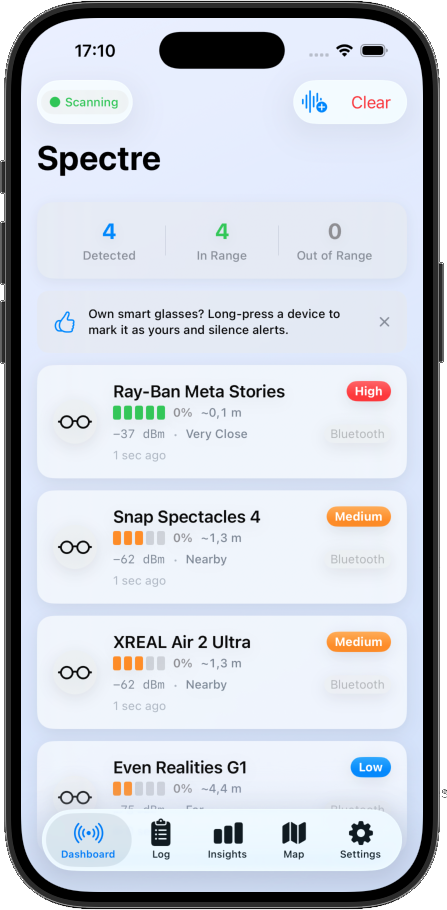
What Is Spectre?
Smart glasses are everywhere — and many of them can record you without your knowledge. Spectre is a privacy tool that passively listens for Bluetooth signals broadcast by smart glasses. When it detects a known device, it shows you the brand, estimated distance, and signal strength along with a threat level based on proximity.
No pairing. No connections. Just detection.
Key Features
Everything you need to stay aware of recording devices nearby.
Real-Time Dashboard
Live signal strength, estimated distance, and threat level for every detected device. You see what's around you the moment it appears.
Detection Log
Full history of every detection with search, filtering, and a grouped timeline. Review past encounters anytime.
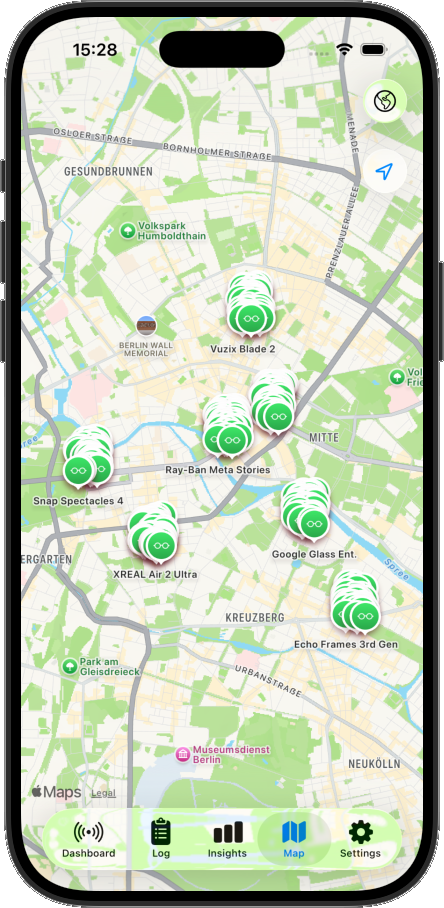
Map View
See where smart glasses were detected on a map. Optional location tagging, stored entirely on your device.
Analytics
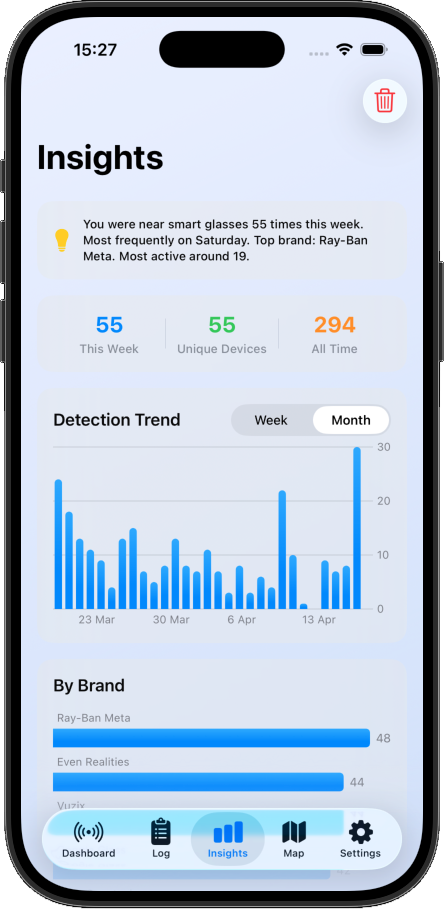
Detection trends, brand breakdown, and peak hours. Understand patterns in the devices around you.
Customisable Alerts
Push notifications, audible alarms, and haptic feedback. Choose how you want to be notified when a device is detected.
Proximity Haptics
A continuous haptic pulse that intensifies as a detected device gets closer. Feel the threat level without looking at your phone.
Stealth Mode
Hide detection counts from the screen so others can't see you're scanning. Stay discreet.
Quiet Hours
Mute all alerts during set times. No interruptions when you don't need them.
See Spectre in Action
A clean interface designed to give you instant awareness.
What It Detects
Spectre recognises 11 brands of smart glasses and camera-equipped eyewear, identified using manufacturer IDs, Bluetooth service UUIDs, and name patterns.
- Ray-Ban Meta
- Snap Spectacles
- Google Glass
- XREAL
- Vuzix
- Amazon Echo Frames
- Even Realities
- Brilliant Labs
- Xiaomi Smart Glasses
- Lenovo ThinkReality
- TCL RayNeo
And Even More
Face ID / Touch ID
Lock the app with biometric authentication. Your detection data stays protected.
Device Allowlist
Ignore your own smart glasses or trusted devices. No false alerts from gear you know about.
CSV & JSON Export
Export your detection log in CSV or JSON format. Keep your records or analyse them externally.
Siri Shortcuts
"Start scanning" and "Are there glasses nearby?" — hands-free detection via Siri.
Background Scanning
Bluetooth state restoration keeps Spectre scanning even when the app is in the background.
Multi-Language
Available in English, Dutch, French, German, Spanish, and Catalan.
Privacy First
Spectre was built with one principle: your data stays on your device.
- No accounts, no sign-ups
- No analytics, no telemetry, no tracking
- No network requests — the app works entirely offline
- Detection logs stored locally using on-device storage
- Location tagging is optional and stays on-device
- Full GDPR compliance
- Export or delete your data at any time
How It Works
Open Spectre
Grant Bluetooth access and start scanning. No account or setup required.
Scan your surroundings
Spectre passively listens for Bluetooth signals broadcast by smart glasses. No pairing, no connections.
Get alerted
When a known device is detected, you see the brand, distance, signal strength, and threat level instantly.
Review your history
Browse your detection log, view locations on a map, and check analytics to understand patterns.
Who Is This For?
Privacy-Conscious
Anyone who values knowing when they're being recorded in public or private spaces.
Business & Meetings
Detect recording devices in meeting rooms, offices, and confidential settings.
Public Spaces
Stay aware at cafes, gyms, changing rooms, and anywhere smart glasses might be present.
Personal Safety
Give yourself peace of mind knowing what Bluetooth-enabled eyewear is around you.
Take back your awareness
Free on the App Store for iPhone. Requires iOS 26.0 or later.
Download on the App Store